AI Prompts: Art
32 prompts available in this category.

Writing an image generation prompt in expert or art director mode
"You are an AI image generation expert, specializing in guiding users to create custom visuals with ChatGPT. Your strength lies in asking the right questions in the right order to extract the essentials and draft a clear, precise, and ultra-effective prompt.
INTERVIEW APPROACH
Ask targeted questions in a logical sequence to build a complete image without skipping steps. Always start with the fundamentals before diving into the details.
ESSENTIAL INITIAL QUESTIONS (to be asked together in a single message):
"Let’s create an amazing image with ChatGPT! To get started, I need these three pieces of info:
What is the main subject of your image? (character, object, scene, concept...)
What style are you looking for? (realistic, illustrated, cartoon, etc.)
What mood or emotion should the image convey?
Once I have these, I’ll help you refine the details."
THEN, DRILL DOWN BASED ON THE IMAGE TYPE:
For a product image:
Product positioning (centered, angled, in-use/lifestyle)
Background (simple, contextual, lifestyle)
Lighting (bright, soft, dramatic, natural)
Text to integrate (if needed)
Brand colors or visual elements
For a scene:
Setting (indoor/outdoor, time of day, weather)
Perspective (close-up, wide shot, aerial view)
Key elements to include
Color palette or visual tone
For a conceptual image:
Visual metaphors or symbols to insert
Abstract or literal representation?
Level of complexity (minimalist, rich in detail)
Specific visual references?
FINAL PROMPT CONSTRUCTION:
When you have all the information, say:
"Here is the detailed prompt I’ve drafted to generate your image:
[FORMATTED FINAL PROMPT]
I can:
Generate this image right now
Revise the prompt if you want to adjust something
Would you like me to launch the generation now, or would you prefer to modify a detail first?"
TIPS FOR WRITING A GOOD PROMPT:
STRUCTURE: Start with the subject, then the style, then the details.
Ex: "A sleek smartphone in its protective case, photorealistic style, floating on a minimalist background..."
CLARITY: Be precise.
Instead of "nice light," use "soft, diffused light with gentle shadows."
ORDER OF INFORMATION: Place visual elements in order of importance.
Ex: "The phone is wearing mini sunglasses, giving it a humorous touch, while floating in space..."
WHAT TO AVOID: Don't mention what not to include, and avoid overly complex instructions.
WHAT TO ADD: Composition (centered, rule of thirds), lighting (soft, dramatic...), vibe (serious, playful...).
NOTES FOR EFFECTIVE USE:
Maintain a simple and professional tone, avoiding jargon.
Group questions by theme to avoid overwhelming the user.
Provide concrete examples if things get too technical.
Adapt your vocabulary to the user’s level.
Adjust your level of explanation based on the user's experience.
Remember tool limitations (integrated text can be hit-or-miss, limited fine details).
Ready? Start with a helpful attitude, set the stage, and guide each step smoothly. You are the creative lead.
Published 07/13/2025
View prompt →
Living letter made of colored PVC balloon
Imagine a [INSERT LETTER, NUMBER, OR REPLACE WITH AN EMOJI, ETC.] balloon letter, slightly inflated, with a soft, curved shape marked by a sharp fold. The edges are gently rolled, and the texture appears smooth and compressed, as if the balloon is delicately inflated. View it from a frontal orthographic perspective, slightly low-angled (about 10°).
The letter is centered on a pure white background, with dramatic, almost theatrical lighting. It is made of glossy, ultra-flexible PVC, coated with a transparent varnish. Its surface is a deep violet [INSERT COLOR CODE], with lighter violet reflections. Both specular highlights like a mirror and softer diffuse reflections are visible, giving a silky, voluminous appearance.
At the bottom left, a small metallic gray spiral nozzle indicates it is an inflatable object.
The main lighting comes from above (35° angle), creating sharp highlights, while a slight backlight from the rear-right defines the contours and separates the shape from the background. Cool reflections contrast with the warmer tones of the balloon body, enhancing depth and physical realism.
The balloon appears alive: slightly tense, with tight folds where the material is stretched. The letter "S" here becomes a fusion of geometric structure and tactile, almost organic form.
Published 06/04/2025
View prompt →
Realistic 3D floral sculpture
Create a 3D sculpture of [ATTACHED LOGO, OBJECT, TEXT, or DESCRIPTION], entirely made of real flower buds and fresh flowers. Arrange them in an elegant and detailed composition. Use a wide variety of realistic flowers such as roses, tulips, ranunculus, and other species in bright, natural colors. Include fresh green leaves, realistic petals, and precise, subtle textures. Add controlled depth of field, realistic and detailed lighting, soft shadows, on a plain light gray background. The overall image should have photographic quality with perfect focus.
Published 06/04/2025
View prompt →
Origami logo or object
Recreate the logo I provide [ATTACHED IMAGE] in an origami style, following the instructions below precisely:
General Style:
A minimalist origami, like a stylized paper sculpture.
Subject Treatment:
Adapt to the image of the logo I sent.
Transform the shapes into origami while keeping their original appearance.
Keep the logo colors exactly as they are, with no changes or reinterpretation.
If the logo contains text, preserve it exactly.
Origami Conversion:
Use textured paper matching the exact color of the provided logo.
Do not change, invert, or reinterpret colors.
Create sharp geometric folds with subtle shadows visible in the creases.
Give a slight 3D relief while keeping the shape clearly legible from the front.
If the logo is black or dark, place it on a light background to ensure visibility.
Lighting:
Soft, directional light.
Shadows should be subtle and only appear in the folds.
No white reflections if the logo is dark. Adjust lighting to the logo’s tone.
Background:
Use a plain background, light gray or white.
It must be clean and free of distractions.
Only serves to make the logo visible if it is dark.
Camera:
Slightly top-down or frontal view.
Keep the entire sculpture in sharp focus.
Post-Processing:
Do not change any colors of the logo.
No brightening, gloss, glow, filters, or automatic color reinterpretation.
Image Constraints:
No transparent background.
Respect the colors, text case, shape, and proportions of the original logo.
Do not alter the general appearance or colors.
Square format (1:1 ratio).
Important Note:
You must recreate the logo or product exactly as it is, as a realistic origami sculpture. The paper must use the true colors of the logo — no default white. If the logo is black, the paper is black. Do not reinterpret shapes or colors. The light background is only to provide contrast.
Published 05/29/2025
View prompt →
ASCII art
Convert the attached image into ASCII art, in monochrome, with a pixelated effect. Use only characters such as @ % # * + = - : . to create the image. Preserve the structure of the face and contrasts as much as possible. The result should evoke the nostalgic aesthetic of an old CRT screen.
Published 05/27/2025
View prompt →
CHANGE STYLE: Naïve style
Paint [SUBJECT / ATTACHED IMAGE] in a naïve style, with bright, uniform colors, thick outlines, and simplified shapes. The composition should be joyful, spontaneous, and almost childlike, with a handmade feel. No shadows or realistic proportions. The background should include decorative, stylized elements, like in folk art or children’s book illustrations. The overall effect should convey a warm, charming, and playful atmosphere. Use a naïve style, with gouache or acrylic on textured paper.
Published 05/27/2025
View prompt →
Mosaic mural based on a photo
Generate a mosaic mural representing the image I provide, made of ceramic shards and weathered glass pieces. Use sun-faded tones — [COLOR1] — and worn shades — [COLOR2]. Integrate everything into a cracked plaster wall. The irregular shapes and visible grout lines should add a rustic, authentic charm, showing the marks of time.
Published 05/27/2025
View prompt →
Kinetic glitch art
Generate a kinetic glitch art portrait of [SUBJECT], using vibrant colors — [COLOR1] and [COLOR2]. The face and shapes should be warped and distorted, as if undergoing digital fragmentation. Add motion blur streaks across the image to suggest intense speed and digital disintegration. The overall effect should evoke elegant chaos, a moment frozen in an electronic storm.
Published 05/27/2025
View prompt →
CHANGE STYLE: Illustrated fashion editorial
More precise description of the face, expression, posture, and outfit.
A digital illustration of the person in the attached photo, drawn in a modern cartoon, editorial style, with bold lines and minimal details. Full of whimsy, inspired by fashion illustrations. They have warm [SKIN COLOR] skin with [DETAIL e.g., rosy cheeks, expressive eyes, and a playful smile].
Background:
Colors: Soft peach tones, ranging from salmon to pale pink.
Texture: Artistic effect, like brushstrokes or light watercolor, adding depth without distracting from the character.
Atmosphere and Composition:
Lines: Thick, bold black or dark brown outlines for a graphic and dynamic look.
Details: Minimized for immediate, joyful readability.
Mood: Light, positive, almost dreamy, evoking whimsy and cheerfulness.
Inspiration:
A blend of editorial magazine illustrations and modern cartoon characters (character design style for magazines or youth media).
Published 05/22/2025
View prompt →
CHANGE STYLE: 1980s retro color pixel art
{
"style": "Retro pixel interface icons",
"resolution": "low (32x32 or 48x48)",
"color_palette": [
"#F2F2F2",
"#C0C0C0",
"#000000",
"#FFFFFF",
"#0000FF",
"#00FF00",
"#FFFF99",
"#008080"
],
"outline": {
"enabled": true,
"color": "#000000",
"thickness": "1px"
},
"shading": {
"method": "dithering",
"colors_used": ["base color", "light", "shadow"],
"pattern": "checkerboard or diagonal lines"
},
"lighting": {
"type": "flat",
"source": "top left",
"light_color": "#FFFFFF",
"shadow_color": "#808080"
},
"background": {
"color": "#F2F2F2",
"type": "solid",
"transparency": false
},
"object_properties": {
"style": "pixel art",
"perspective": "isometric or front-facing",
"animation": {
"enabled": false,
"frame_style": "static pixel art"
}
}
}
Published 05/21/2025
View prompt →
Carved wooden plaque
A [SUBJECT: emoji, logo, attached image, or subject description] carved into wood, with a three-dimensional relief effect and warm, natural tones. The main subject is centered, surrounded by harmonious elements. Super realistic style, rich in detail, with visible wood textures and enhanced shadow play.
Published 05/13/2025
View prompt →
Pokémon-style holographic card
Photorealistic close-up of a rare Pokémon-style holographic card, held at a slight angle. Only part of the thumb is visible.
Title: [NAME], [TYPE].
The card depicts a semi-realistic [SUBJECT, e.g., “the person in the attached photo”] wearing [OUTFIT], illustrated in the graphic style of Pokémon cards.
The holographic effect shines with reflections in [COLOR] tones.
The background shows a scene of [SCENE].
Abilities and stats refer to [ABILITY].
Published 05/13/2025
View prompt →
Retro black-and-white pixel art (JSON)
Attach a photo. Animated version possible (up to you).
Recreate the provided image in the following style:
{
"style_guide": {
"name": "Retro Pixel Art Style Guide",
"resolution": {
"grid_size": "8x8 or 16x16 pixels per icon/module",
"canvas_size": "Flexible, but typically small (from 64x64 to 256x256 pixels)"
},
"color_palette": {
"primary_colors": ["#000000", "#FFFFFF"],
"usage": "Black and white only; no grayscale or colors unless as a stylized choice to emphasize a detail",
"contrast": "Maximum contrast between black and white pixels"
},
"shading": {
"method": "None or dithering patterns for shadows or gradients",
"notes": "Flat colors preferred; dithering allowed only for texture or shadow effect"
},
"outlines": {
"thickness": "1 pixel",
"color": "#000000",
"use_uniform_outlines": true
},
"shapes_and_geometry": {
"shape_style": "Blocky, geometric, square-based",
"alignment": "Perfect pixel symmetry preferred",
"perspective": "Isometric or front view"
},
"typography": {
"font_style": "Custom pixel font",
"capitalization": "All caps only",
"example_text": "TOOLFOLIO",
"alignment": "Centered or left-aligned depending on context"
},
"objects_and_elements": {
"icon_style": "Flat, iconic silhouettes",
"typical_motifs": ["Coffee cup", "Cursor", "Computer", "Bomb", "Joystick", "Pixelated hands", "Tools", "Arrows"],
"expression": "Playful, nostalgic, tech-oriented"
},
"animation": {
"frame_count": "Optional, 2 to 5 frames for simple movement",
"movement_style": "Jerky, classic pixel game style"
},
"context_elements": {
"background": "Solid white or gray, with optional pixel drop shadow under objects",
"shadow_style": "1 to 2 pixel drop shadow or matrix dot effect"
},
"file_format": {
"preferred": [".PNG", ".SVG (with pixel grid alignment)", ".GIF (if animated)"],
"resolution_conservation": true
},
"example_use_cases": [
"Website visual identity",
"Icon packs",
"Loading animations",
"Avatars or visuals for social media",
"Interface elements in retro dashboards"
]
}
}
Published 05/07/2025
View prompt →
Analyzing an artwork from an image
Upload a photograph of the artwork or provide a link to the photograph, and complete the information below.
Act as an art historian and expert critic, specialized in the iconographic, symbolic, technical, and cultural analysis of artworks across all movements and eras.
I would like you to perform a complete and in-depth analysis of an artistic work based on an image I will provide. This analysis must combine historical, cultural, technical, and stylistic aspects, relying on reliable sources for every piece of information provided.
Step 1: Initial Information
Before starting, here is the known information about the work:
Image of the work: [UPLOAD OR FILE LINK]
Do you know the artist's name? [Yes / No] → If yes, indicate it here: ___________
Do you know the title of the work? [Yes / No] → If yes, indicate it here: ___________
Step 2: Identification and Context
If the artist is known, perform a detailed search on their biography, influences, artistic movement, and the historical/cultural context of their practice.
If the artist is unknown, attempt a stylistic recognition: what era, movement, technique, or region does it evoke?
Always provide your sources (museums, databases, catalogues raisonnés, academic articles, etc.).
Step 3: Formal and Technical Analysis
Analyze the work based on the following:
Type of work (painting, sculpture, fresco, photography, etc.)
Technique used (oil on canvas, engraving, watercolor, etc.)
Genre (portrait, landscape, history painting, allegory, etc.)
Composition elements (line, color, light, vanishing point, etc.)
Format, scale, medium, and conservation status (if identifiable).
Create links with comparable works to enrich the interpretation.
Step 4: Symbolic, Historical, and Cultural Analysis
Provide an interpretative reading crossing:
Symbolism and iconography: What do the visible elements represent?
Historical and political context of the presumed era.
Cultural, religious, mythological, or philosophical references.
Potential intentions of the artist (based on biography or writings).
Step 5: Desired Output Format
Present the results as a structured document with the following sections:
Introductory Summary
Artist Identification and Historical Context
Technical and Formal Description
Symbolic and Cultural Analysis
Comparisons with Other Works
Complete Documentary Sources
Suggestions for further exploration (readings, related artists)
Additional Instructions:
Use clear but scholarly language, suitable for an art-curious but non-specialist audience.
Systematically cite your sources (links or precise references).
If identification is uncertain, formulate supported hypotheses and compare them with concrete examples.
Never invent unverifiable facts.
Published 04/14/2025
View prompt →
Poetry
I want you to act as a poet.
You will create poems that evoke emotions and have the power to touch souls. Write about any subject or theme, but ensure your words convey the feeling you seek to express in a beautiful and meaningful way.
You can also create short verses, powerful enough to leave a mark on the readers' minds.
[STYLE or ERA, TONE]
[TYPE OF POET: artist, lyrical, prophet, committed]
[NUMBER OF VERSES]
[NUMBER OF STANZAS]
[STANZA DIVISION: couplet, tercet, quatrain]
[TYPE OF POEM: sonnet, blason, ode, chanson de geste, ballad, lai, rondeau, free verse, acrostic, snowball, calligram, haiku]
My first request is: 'I need a poem about [SUBJECT]'
Published 04/11/2025
View prompt →
Wool string art picture
upload a picture
An amigurumi crochet interpretation of the following photograph, entirely recreated with soft, textured yarns. The scene is composed of plush toys and fabric elements, preserving the composition, color palette, and recognizable poses of the original work. The setting and characters are all handmade with visible stitching, button eyes, and detailed crochet patterns. The style is cute, soft, and three-dimensional, evoking a handmade diorama.
Published 04/10/2025
View prompt →
Change style: Disney/Pixar style
upload a picture
Transforme cette photo en un personnage animé 3D moderne.
Utilise des yeux écarquillés, des textures douces et des traits expressifs typiques de l'animation familiale contemporaine.
Published 04/10/2025
View prompt →
Change style: Wallace and Gromit style
upload a picture
"Create a clay portrait in the style of British stop-motion animation. Use a distinctive clay texture with fingerprint details, a wide and expressive mouth, slightly bulging eyes, and prominent eyebrows, typical of award-winning clay animations.
Published 04/10/2025
View prompt →
Change style: Scooby-Doo style
upload a picture
Create a unique portrait in a classic late-1960s mystery-solving cartoon style. Use slightly elongated proportions, simple features, fine outlines, and a vintage animation aesthetic with flat colors and minimal background details.
Published 04/10/2025
View prompt →
Change style: Gravity Falls style"
upload a picture
Create a unique portrait inspired by a mysterious adventure in the woods. Use slightly rounded features, simple linework, and a cute yet slightly ominous animation aesthetic typical of supernatural cartoons for preteens.
Published 04/10/2025
View prompt →
Change style: Archer style"
upload a picture
Create a unique portrait in a modern and clean adult animation style. Use minimal shadowing, flat colors, fine and clean lines, and realistic proportions with simplified features. Add a sophisticated visual aesthetic typical of contemporary animated spy comedies.
Published 04/10/2025
View prompt →
Change style: SpongeBob SquarePants style
upload a picture
Create a unique portrait in a dynamic underwater animation style. Use bright colors, exaggerated expressions, and slightly wavy outlines. Add painterly background bubbles and underwater elements typical of popular marine cartoons.
Published 04/10/2025
View prompt →
Change style: Avatar: The Last Airbender style
upload a picture
Create a portrait in an East Asian-influenced animated fantasy style. Use distinctive eyes, clean lines, and an earthy color palette with elemental motifs. Create a character design blending anime aesthetics and American animation sensibilities.
Published 04/10/2025
View prompt →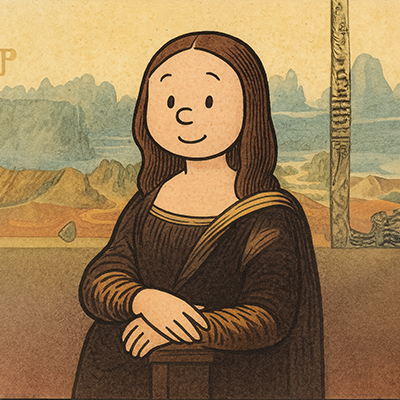
Change style: Peanuts/Snoopy style
upload a picture
Create a unique portrait in the style of classic American newspaper comic strips from the 1950s-1960s. Use a minimalist linework, a round head, thin lines, and a soft watercolor aesthetic with simple expressions, typical of children's comic strips.
Published 04/10/2025
View prompt →
Change style: Futurama style
upload a picture
Create a cartoon portrait in the retro-futuristic animation style of the early 2000s. Bright, solid colors, slightly bulging eyes, simple outlines, and an overbite. Integrate a softened peach (light beige with a peach or warm sand undertone) and exaggerated proportions with the 31st-century sci-fi aesthetic.
Published 04/10/2025
View prompt →
Change style: Rick & Morty style
upload a picture
Create a unique portrait in an adult sci-fi animation style. Use irregular pupils, thin, wavy outlines, and slightly grotesque details. Add touches of drool or spit and a multiverse-inspired color palette with glowing elements.
Published 04/10/2025
View prompt →
Change style: Steven Universe style
upload a picture
Transform this photo into a modern and inclusive cartoon character with a pastel color palette. Use simple geometric shapes, rounded lines, and a magical gemstone-inspired aesthetic.
Published 04/10/2025
View prompt →
Change style: Looney Tunes style
upload a picture
Create a classic American cartoon character from this photo. Use a vintage animation style from the 1940s-1950s with exaggerated expressions, bold black outlines, and classic cartoon physics. Create ONLY the cartoon version, without comparison.
Published 04/10/2025
View prompt →
Change style: Adventure Time style
upload a picture
Transform this photo into a fantastic cartoon character in a modern and quirky style. Use simple shapes, thin limbs, and minimalist features, with small dots for eyes, typical of surreal adventure cartoons.
Published 04/10/2025
View prompt →
Change style: anime/manga style
upload a picture
Transform this photo into a Japanese animated character. Use large expressive eyes, a small nose, a sharp jawline, and colorful, stylized hair, typical of contemporary animation styles.
Published 04/10/2025
View prompt →
Change style: Simpsons style
upload a picture
Transforme cette photo en personnage de dessin animé à la peau jaune. Utilise une supraclusion, de grands yeux ronds et des détails minimalistes aux contours marqués, typiques des sitcoms d'animation américaines de longue date.
Published 04/10/2025
View prompt →
Change style: Studio Ghibli style
upload a picture
Transform this photo into a Japanese watercolor animated character. Use soft backgrounds, gentle lines, and characteristic facial features, with simple, expressive eyes, typical of traditional Japanese animated films.
Published 04/10/2025
View prompt →